highonrank digital marketing company logo

Contact Info

  • Consultation on WhatsApp
  • [email protected]
  • 🇮🇳+91 9654078140
  • 🇺🇸+1 (872) 278-3586
Get A Quote
Skip to content
  • Amazon Seller Services
    • Amazon Seller Central Training Course
    • Amazon Seller Registration
    • FBA Enrollment
    • Amazon Product Listing Services
    • Amazon A+ Content Design
    • Amazon Brand Store Design
    • Amazon Account Management Services
    • Amazon Advertising Services
    • Amazon Boost Services
    • Reactivation Of Amazon Blocked/Inactive Listing
    • Amazon Suspended Account Reactivation
    • Amazon Virtual Assistant Services
    • Amazon SEO Product Ranking Services
  • Designing & Marketing
    • Digital Marketing Services
    • SEO (Search Engine Optimization) Services
    • Website Design Services
    • Shopify Website Design & Development
    • Graphic Designing services
  • Blogs
Get A Quote

Home » Amazon Seller Central Guide

Amazon Seller Central Explained for Beginners

  • Anki Shukla
  • May 17, 2026
  • 1:17 pm
  • No Comments

Table of Contents

Get Free Quotation

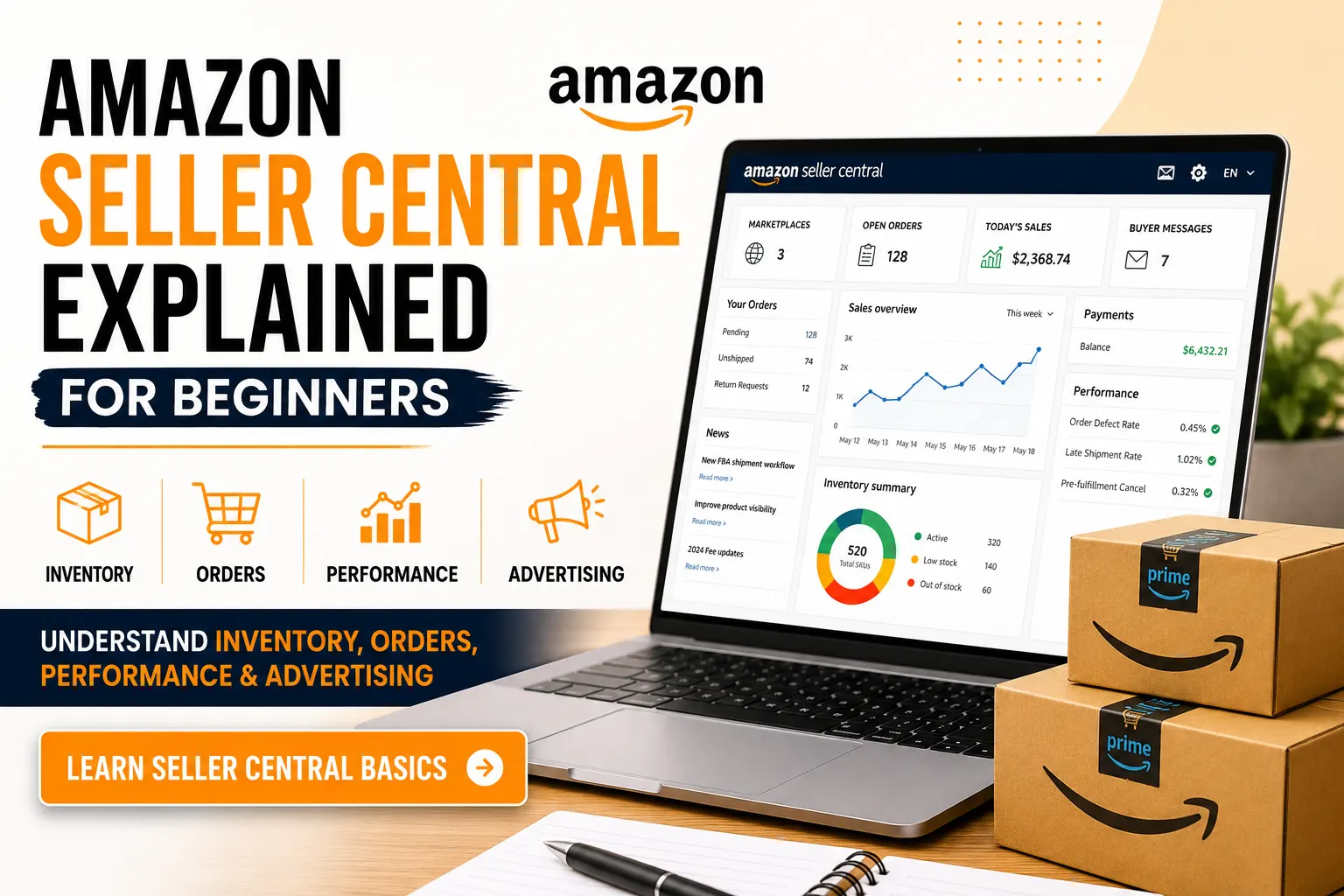
    Amazon Seller Central Explained for Beginners dashboard guide with inventory orders performance and advertising management

    Introduction to Amazon Seller Central Explained for Beginners

    Amazon Seller Central Explained for Beginners — this guide covers everything you need to know. When someone starts selling on Amazon for the first time, the biggest surprise isn’t competition or pricing — it’s the dashboard. You log in and suddenly there are tabs, graphs, notifications, and terms you’ve never heard before.

    This complete Amazon Seller Central guide will help you understand how Amazon Seller Central works — from the dashboard to performance metrics.

    This dashboard is Amazon Seller Central, and if you are serious about selling on Amazon, you need to understand this dashboard well.

    Let’s understand this dashboard in a very simple and practical manner.

    Struggling with Amazon Seller Central? Let Experts Handle It for You

    Free consultation | No commitment | Quick response within 24 hours
    ➡ Talk to Amazon Experts Now

    It’s Basically Your Business Control Room

    This is where your entire Amazon business is. Customers never see it, but everything they experience — pricing, stock availability, shipping speed — is controlled from here. The Amazon Seller Central dashboard is your complete beginner Amazon seller guide to managing everything in one place.

    When you log in, you’ll mainly deal with:

    • Inventory
    • Orders
    • Reports
    • Performance metrics
    • Advertising

    At first, it may feel technical. That’s normal. Every new seller feels that way.

    Inventory: Where You Build and Fix Listings

    This section is where you upload products and edit them. Good Amazon inventory management starts here.

    If your sales are slow, this is usually the first place to check. Maybe your title needs improvement. Maybe your images aren’t strong enough. Maybe pricing is slightly off.

    You can update details anytime. Many beginners think once a listing is live, it’s “done.” It’s not. Listings need regular improvements.

    Also, keep an eye on stock levels. Running out of stock can hurt your ranking and momentum. Treat this section as the core of your Amazon seller account management.

    Orders: Where Responsibility Matters

    If you are using Amazon FBA, then Amazon will handle shipping for you. You can track all FBA shipment statuses directly in the Amazon FBA dashboard.
    If you are shipping yourself, you need to confirm dispatch on time.

    This is one area where Amazon Seller Central Explained for Beginners content helps most — understanding your daily responsibilities keeps your account in good standing.

    Late shipments or cancellations affect your account health. Even a few mistakes can cause warnings. This is why checking your orders daily is important, especially in the beginning.

    Performance Section: Your Scorecard

    Seller Central shows you how Amazon views your account. These are your Amazon seller performance metrics, and they determine whether your account stays healthy.

    You’ll see things like:

    • Order defect rate
    • Late shipment rate
    • Customer feedback
    • Policy violations

    Think of this as your report card. If these numbers stay healthy, your account remains safe. Ignore them, and problems can build quietly.

    Many new sellers don’t check this section until something goes wrong. That’s a mistake.

    Advertising: Useful, But Not Magic

    You can run ads directly from Seller Central. The Amazon advertising dashboard gives you full control over your sponsored campaigns.

    Ads help bring traffic, especially when your product is new. But ads don’t fix a weak listing. If your images, price, or reviews aren’t convincing, paid traffic won’t convert well.

    Advertising works best when your product page is already optimized.

    Why Most Beginners Feel Stuck

    Usually, it’s not because the product is bad.

    It’s because:

    • They don’t review reports
    • They ignore small performance warnings
    • They stop optimizing after launch
    • They expect instant results

    Amazon rewards consistency. Seller Central gives you all the data — but you have to actually use it. These are the most common Amazon seller beginner tips that separate struggling sellers from successful ones.

    Final Thoughts

    Amazon Seller Central isn’t complicated once you stop trying to understand everything at once. That’s what Amazon Seller Central explained for beginners is all about — mastering the Amazon Seller Central dashboard one step at a time.

    • Log in daily.
    • Check inventory.
    • Monitor orders.
    • Review performance.
    • Make small improvements regularly.

    That’s how real sellers grow.

    There’s no secret trick inside Seller Central. Just discipline, attention to detail, and steady effort.

    Grow Your Amazon Business with Expert Support

    Whether you are new to Amazon or struggling with Seller Central management, HighOnRank can help you improve listings, monitor performance, manage advertising, and scale your business professionally.
    ➡ Talk to Amazon Experts

    Frequently Asked Questions About Amazon Seller Central

    Amazon Seller Central is the main online platform where Amazon sellers sell their products. It’s the place seller log in to add products, manage inventory, change prices, handle customer orders, Amazon Ads and see how your sales are performing—all from one dashboard.
    When you log in, you’ll mainly deal with inventory, orders, reports, performance metrics, and advertising.
    Running out of stock can hurt your ranking and momentum. Listings also need regular improvements.
    If these numbers stay healthy, your account remains safe. Ignore them, and problems can build quietly.
    Ads help bring traffic, especially when your product is new. But ads don’t fix a weak listing.
    PrevPreviousHow to Improve Amazon Product Ranking in Canada
    NextHow to Scale Your Amazon Business Without Losing ProfitNext
    how to scale your amazon business
    Amazon Services
    chandra prakash

    How to Scale Your Amazon Business Without Losing Profit

    Read More »
    amazon seller central explained for beginners dashboard guide with inventory orders performance and advertising management
    Amazon Services
    anki shukla

    Amazon Seller Central Explained for Beginners

    Read More »
    Testimonials

    What our awesome
    customers say

    Contact us

    How can we help you today?

    Contact us

      best seo service agency near me
      Contact Highonrank

      Ready to unlock your
      brands’ potential?

      TALK TO A SPECIALIST
      highonrank logo- amazon seller service agency

      HOR-Highonrank Was Founded by Chandra Prakash Sharma in 2019. A Young Entrepreneur Who Is Passionate About Digital Marketing, And Has a Deep Understanding of How to Turn Websites and Businesses into Profit Centers. We Have Been Working in The Field of Digital Marketing for The Last 8 Years. and During This Period We Served Our Service to Many Entrepreneurs & Businesses and Startups. When We Started Our Passion for Digital Marketing and E-Commerce Marketplace Businesses, We Found That Lots of Companies and Young Startups Need a Platform Where They Can Find Expert Services for Their Business Growth. Read More..

      Facebook X-twitter Youtube Instagram Linkedin

      Address

      • T-650 ΕΑ2 Βaljeet Nagar, West Patel Nagar New Delhi 110008 India
      • 97 Farringdon Road, North Shields NE30 3ER, United Kingdom
      • Khalifa City A Building Number 29 Flat 201 Abu Dhabi UAE
      • 🇺🇸 +1 (872) 278-3586
      • 🇮🇳+91 9667482591, +91 9654078140
      • 🇦🇪 +971 52 279 6549
      • Email: [email protected]

      Marketplace Services in India

      • Amazon Seller Registration
      • Amazon FBA Registration
      • Amazon Product Listing Services in UAE
      • Amazon Product Listing Services
      • Amazon Enhanced Brand Content (EBC ) Service
      • Amazon Storefront Design
      • Amazon Seller Account Management Service
      • Amazon Virtual Assistant Canada
      • Amazon Account Management Services In USA
      • A+ Listing Services in UAE
      • Amazon Seller Account Management Services In Australia
      • Amazon Advertising Services
      • Amazon Account Management Services in UAE
      • Amazon Seller Registration Services in UAE
      • Amazon Boost Service
      • Amazon Boost Services in UAE
      • Amazon Suspended Account Reactivation
      • Reactivation of Amazon Blocked/Inactive Listing
      • Amazon seller central training
      • Image Editing Service
      • Remove Malware From Your Hacked Websites | Recovery Hacked
      • Noon Account Management Services
      • Etsy Account Management Services

      Designing & Development

      • Website Designing Service
      • Graphic Designing Service
      • Logo Design Service
      • Digital Marketing Service
      HighOnRank - Best Digital Marketing Company | Web Designing Company | SEO Company | Graphic Design Agency, Copyright © 2019 HIGHONRANK DIGITAL SOLUTIONS. All rights reserved.
      • Contact Us
        Contact Form

      • Phone
      • WhatsApp